Protect the Border Code Scams
Real codes exist now. Fake sites still want your password.
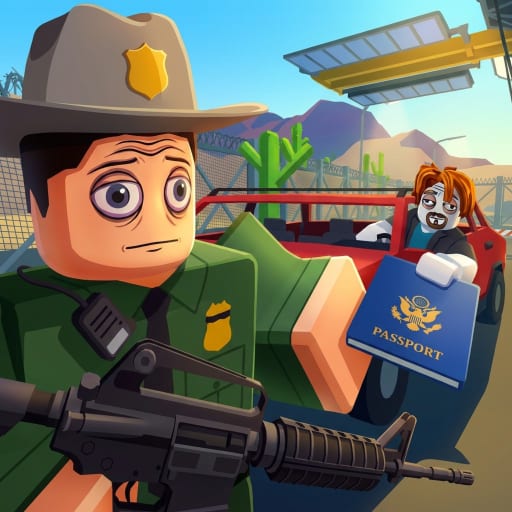
Protect the Border now has a working code system: the Codes tab inside the Shop menu. That is good news. It also means phishing sites have a new reason to clone the title, slap a countdown timer on a page, and ask you to “verify the account.”
This warning sits under the Codes Hub because the most dangerous click still happens outside the experience. Real codes are redeemed inside the game only. Any site that asks for your Roblox login to “drop Gold” is an attack, not a shortcut.
Patterns we see on border-game searches
- “Working codes August 2026” videos that never show the in-game Codes tab
- Discord invites in YouTube comments that promise a private list
- Sites that ask you to complete surveys, then request a Roblox login
- “Generator” pages that need your username to “activate” a code
- Lookalike experience pages with a slightly wrong creator name
The real redemption path is short and stays inside the game: Shop button → Codes tab → type the string → Redeem. Anything longer, or anything that happens in a browser, is wrong.
What staff will never ask
The Evil Mafia group staff, this wiki, and Roblox Support will never ask for:
- Your password
- Your cookie or
.ROBLOSECURITY - Backup codes or email access
- A screen-share that includes the password manager
If a “moderator” DMs you after you ask for codes in a public server, assume it is a clone. Real announcements stay on the group wall or the experience page linked from our official links hub.
How an account actually gets stolen
Most thefts are not magic scripts. They are login forms. You type the password on a page that is not roblox.com. The thief logs in, empties limiteds, and sometimes uses the account to spam more code links. Running an unknown executor from a “free codes” video is the second path. That story continues on script safety.
A third path is the wrong game. Players paste Secure the Border or San Diego lists into chat, then follow the uploader’s Discord when nothing happens. Those communities are not this BETA. Stay on the how to redeem routine so you never need their invites.
A 30-second filter
Before you click a “codes” result, ask:
- Does the page show the official place ID
104589921852670or the group The Evil Mafia? - Does it ask you to log in anywhere except Roblox?
- Does it show a screenshot of a redeem box outside the in-game Shop?
- Does it mix this title with another border game in the first paragraph?
One yes on questions 2–4 is enough to close the tab. Then come back to the Codes Hub and keep playing.
What to do if you already typed a password
Change the Roblox password on the official site. Enable 2FA. Sign out of other sessions. Tell a parent or a trusted friend if the account held real money. Do not “verify recovery” on the same phishing domain.
If you only typed a code into the in-game Codes tab, you are fine. The in-game field is safe. If you typed a code into chat, you wasted a line, not the account.
Play the actual game
The booth still has a fair loop. Getting Started and how to earn cash will move your gold faster than any stolen list. If you want a paid shortcut, read gamepass ranks instead of buying a “code pack” from a stranger.
This warning will stay blunt even now that real codes exist. A genuine string does not need your password. It needs the Codes tab inside the Shop, which we document on the how to redeem page. Anything outside the game is still an attack on the booth, not a gift to it.
Frequently Asked Questions
Quick answers officers ask after every shift.
Someone DMed me working Protect the Border codes. Safe?
No. Real codes are redeemed inside the game only. Unsolicited DMs that offer lists are a standard phishing opener.
A site wants my username to generate a code.
Close it. Usernames are enough to target you with lookalike login pages. Use the in-game Codes tab only.
Can this wiki ban my Roblox account?
No. Only Roblox and the experience moderators can act on an account. We never ask for credentials.
Where should I report a fake codes Discord?
Report the invite on Roblox if it is posted in-game, and avoid joining. Do not raid or spam the server.