How to Redeem Protect the Border Codes
The exact path from the Shop button to Gold on your HUD.
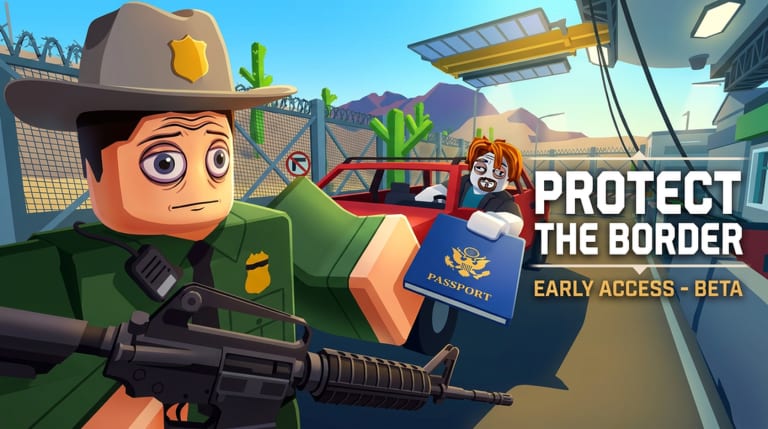
Protect the Border now has a working code redemption system inside the live BETA. The path is short: Shop button, Codes tab, type the string, press Redeem. This page walks each step so you do not waste a code on a typo or a fake field outside the experience.
If you only wanted the live list, go back to the Codes Hub. If someone already asked for your password, stop and open the scam warning.
Step-by-step redemption
- Open the official Protect the Border page on Roblox.
- Press Play and wait until the game fully loads at the main border area. The locker and HUD must finish drawing before the Shop responds.
- Look at the left side of the screen for the Shop button.
- Press the Shop button to open the store window.
- At the top of the Shop window, press the Codes tab.
- Type or paste the code into the Enter Code text field.
- Press the yellow Redeem button.
- Check your Gold balance on the HUD to confirm the reward appeared.
Codes are case-sensitive. Type EVILREWARD in all caps, no spaces, no quotes. A missed capital letter is the most common “broken code” report in any Roblox title.
How to confirm a reward landed
A real reward changes a number you can see:
- Gold on the HUD (most common for codes)
- A new locker class or a carried weapon
- A cosmetic tag such as VIP
If the code said “success” but your Gold did not move, leave and rejoin a fresh server. Some rewards are server-delayed. If Gold still does not change after a rejoin, the code was fake or already redeemed on your account.
Screenshot your HUD before and after. That habit also helps when you write a bug report to The Evil Mafia group.
Mobile notes
On a phone, the HUD is tighter. The Shop button still sits on the left side. Tap it, then tap the Codes tab at the top of the Shop window. The Enter Code field opens the device keyboard. Type slowly. Autocorrect will try to “fix” the code — turn it off or paste from clipboard instead.
Console notes
On console, you need the on-screen keyboard. Open it from the Enter Code field. Type the code with the controller or a USB keyboard. Press Redeem with the confirm button. If the overlay hides the Codes tab, try resizing the HUD in settings.
Where official codes will appear
Trust this order, and no other:
- The official experience description or update log
- A shout or social link on The Evil Mafia group
- This wiki’s Codes Hub after we can repeat the redeem in-game
Do not trust YouTube descriptions, Discord DMs, or “code generator” pages. Those funnels exist because Protect the Border codes is a high-intent search while the BETA is still young.
What to do instead of waiting for codes
Codes are a bonus on top of the shift. They will not replace ID checks, trunk searches, or a planned night hold. A four-officer party that knows the booth loop will out-earn a solo player who refreshes the Codes Hub every ten minutes.
If you were about to spend Robux because “codes are not enough,” compare passes on the gamepass value tool first. VIP and 2X Cash both advertise double cash and gold. That is a permanent multiplier, not a one-day string.
Keep this redeem page bookmarked next to the Codes Hub. The pair is meant to stay simple: one list, one method, no surprises in the booth.
Frequently Asked Questions
Quick answers officers ask after every shift.
Where do I redeem Protect the Border codes?
In the live experience: press Shop on the left side, tap the Codes tab, type the code, and press Redeem.
Are codes case-sensitive?
Yes. Type the string exactly as shown. EVILREWARD must be all caps with no spaces.
The code said success but I got nothing.
Check Gold on the HUD. If it did not move, rejoin a fresh server. If it still does not change, the code was already redeemed or fake.
Can I redeem on mobile?
Yes. The Shop button and Codes tab work on mobile. Turn off autocorrect before typing the code.
Can I redeem on console?
Yes. Use the on-screen keyboard from the Enter Code field. A USB keyboard is faster.